
Best AI Content Creation Tools
We evaluated 12 AI content creation tools against consistent criteria so you can match each one to your actual workflow bottleneck, from drafting to design to S

Best AI content creation tools
No single AI content creation tool is best for everyone. The right choice depends on which workflow bottleneck you need to solve. ChatGPT leads for general drafting and research. Jasper excels at brand-governed marketing. Canva handles visual design. Descript simplifies video and podcast editing through a transcript-first approach. Surfer adds an SEO optimization layer.
Below, 12 tools are evaluated against consistent criteria so you can match each one to your actual content pipeline. All pricing and features were verified in August 2026 and should be rechecked before you buy.
How we selected these tools
Every tool on this list was assessed against the same framework, not ranked by subjective star ratings. The framework helps you identify which tools solve your specific bottleneck: drafting, design, video production, social distribution, or search optimization.
The list is organized by workflow problem, not by a single ranking, because different tools address different stages of content production. Once you have chosen your tools, mapping them to a publishing cadence matters; see our AI Content Calendar & Planning: The Complete Guide for that next step.
Quick-picks summary
Use this table to find the right tool by use case and budget, then read the detailed section for each.
Prices were sourced from each tool's official pricing page (linked in each section below) and observed in August 2026. Verify before buying; AI tool pricing changes often.
General-purpose content assistants
These multimodal AI assistants serve as a flexible starting point across writing, research, brainstorming, and content generation. They are not specialized for any single format, which makes them ideal first tools but often insufficient on their own for polished, brand-governed output.
ChatGPT: best general-purpose starting point
ChatGPT is the most versatile general-purpose AI assistant for content creators. It covers text drafting, brainstorming, research, image creation, file analysis, code, and multi-step projects in a single interface.
What it is. A multimodal AI assistant from OpenAI that handles brainstorming, outlining, drafting, rewriting, web search, image generation (via DALL·E), file uploads, scheduled tasks, custom GPTs, and larger projects. ChatGPT Work extends the platform with workplace-oriented features where available.
Best for. Solo creators, freelancers, and anyone who needs one tool to cover the widest range of content tasks before investing in specialists.
Standout trait. Breadth of capabilities. Few other single tools combine text generation, image creation, web-connected research, code execution, and custom automations (GPTs) in one conversation.
Limitation. Output quality depends heavily on prompting skill and the context you provide. ChatGPT has no built-in brand governance, content calendar, publishing workflow, or social scheduling. Teams needing repeatable, brand-controlled production will need other tools alongside it.
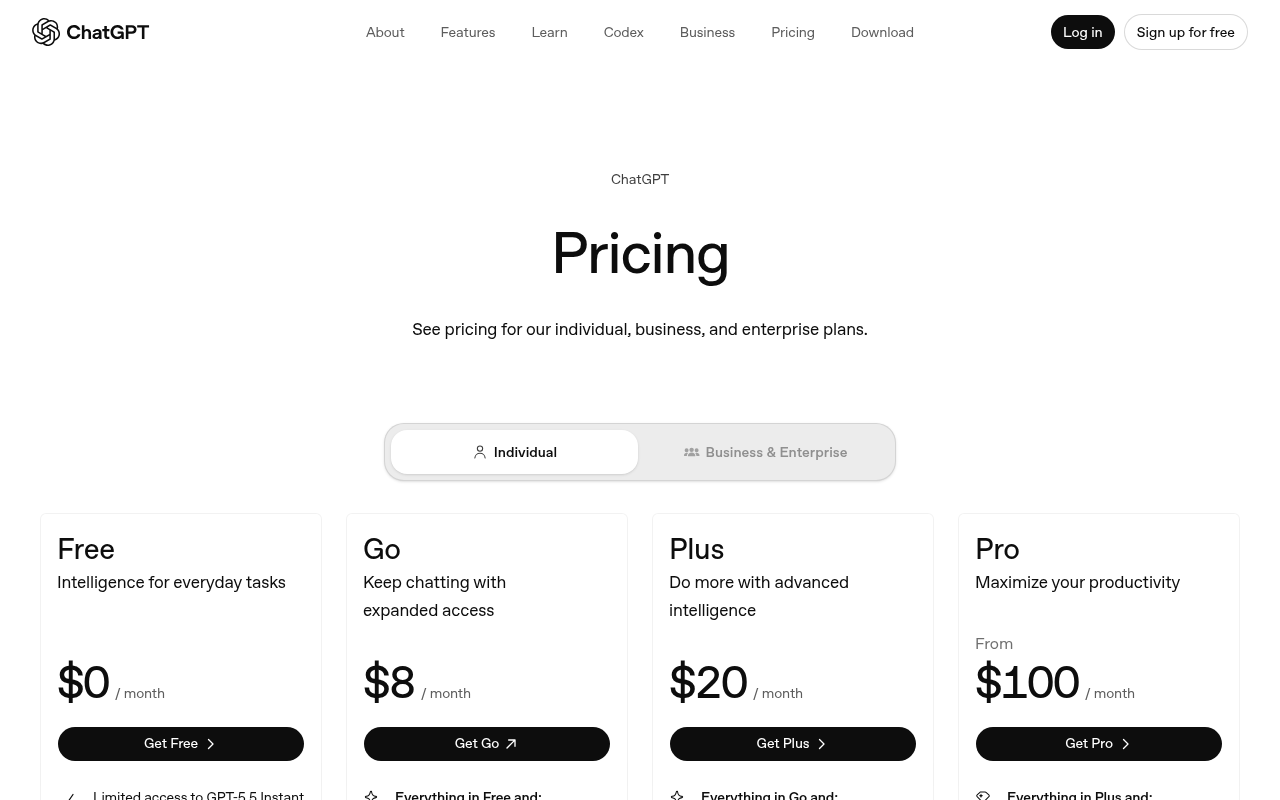
Pricing. Free $0; Go $8/mo; Plus $20/mo; Pro from $100/mo (OpenAI ChatGPT pricing). Per-tier capabilities are documented in OpenAI's Use ChatGPT documentation.
Claude: best for long-form thinking and refinement
Claude is the strongest choice for writers and editors who need careful long-form drafts, structural critique, and document-heavy workflows. Its extended reasoning and large context window make it especially effective for editing and refining existing content.
What it is. An AI assistant from Anthropic focused on writing, editing, research, web search, file handling, projects, connectors, artifacts, and extended thinking. Claude's projects feature lets you maintain persistent context across related documents.
Best for. Writers, editors, and content strategists who work with long documents, need structural feedback, or want an AI collaborator that excels at critique rather than rapid-fire short-form generation.
Standout trait. Long-context reasoning and editing quality. Claude handles extended documents with coherence that makes it useful for refining drafts, restructuring arguments, and providing detailed editorial feedback.
Limitation. Usage limits apply on all plans, including Pro and Max. Claude is not a publishing, scheduling, or social management platform; it is a thinking and writing partner, not a distribution tool.
Pricing. Free $0; Pro $17/mo annual or $20/mo monthly; Max from $100/mo (Anthropic Claude pricing).

Marketing and brand-governed writing tools
These platforms go beyond general-purpose chat to provide brand voice profiles, knowledge bases, style guides, approval workflows, and repeatable content pipelines built for marketing teams.
Jasper: best for marketing teams and brand governance
Jasper is the leading purpose-built marketing AI platform for teams that need brand-controlled content at scale. Unlike general-purpose assistants, it is designed around repeatable marketing workflows with deep brand governance.
What it is. A marketing AI platform offering brand voice profiles, audience definitions, style guides, knowledge bases (Jasper IQ), content pipelines, Canvas for visual collaboration, AI agents, and campaign-level workflows. It is built for marketing, not adapted from a general chatbot.
Best for. Marketing teams, agencies, and enterprises that need consistent brand voice across campaigns, approval workflows, and content at scale.
Standout trait. Deep brand governance. Jasper lets teams define voice profiles, upload proprietary knowledge, set style rules, and enforce approval workflows, making it a marketing operations platform rather than just a text generator.
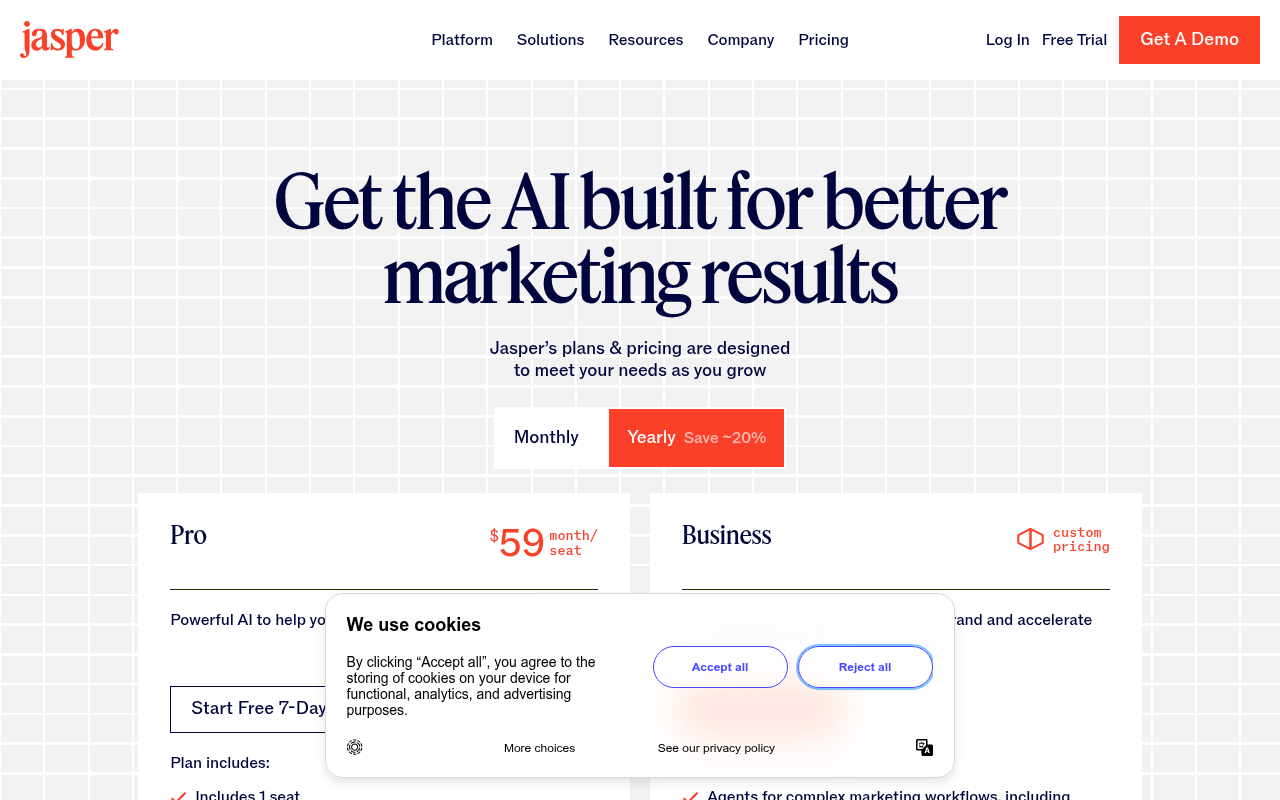
Limitation. Pro is $59/mo billed annually or $69/mo billed monthly; Business is custom-priced (Jasper pricing). Jasper now uses a hybrid platform-and-credit model for some advanced features, so the headline subscription price may not represent total usage cost. Check credit consumption for your expected volume.
Teams using Jasper for repeatable campaigns can structure their output with a content calendar; see How to Build an AI Content Calendar for a step-by-step approach.
Copy.ai: best for workflow automation and go-to-market content
Copy.ai is the best choice for revenue and content teams that want to automate multi-step content processes, not just generate one-off drafts. Its Workflow builder chains research, drafting, and formatting into repeatable sequences.
What it is. A go-to-market (GTM) workflow automation platform with multi-step Workflows, brand voice settings, Infobase knowledge management, and integrations with CRMs and marketing tools. Copy.ai has evolved beyond simple copywriting into broader GTM automation.
Best for. Revenue operations, content marketing, and sales enablement teams that need to chain research, drafting, personalization, and formatting into automated sequences.
Standout trait. The multi-step Workflow builder. Rather than prompting for individual pieces of content, you define a sequence (research a topic, draft a blog outline, generate social posts, format for email) that runs with little manual work.
Limitation. The Chat plan starts at $24/mo billed annually with 5 seats and unlimited chat words. Workflow credits on higher tiers (Growth and above) cost much more. Decide whether you need chat-only capabilities or full workflow automation before committing (Copy.ai pricing).
Visual design and image creation
These tools produce graphics, social visuals, presentations, and AI-generated images. They address the design stage of the content pipeline, where raw text ideas become visual assets.
Canva: best for accessible visual content and branded templates
Canva is the most accessible end-to-end visual content tool. It combines AI generation, templates, brand kits, asset libraries, and lightweight video editing in a single interface that requires no professional design training.
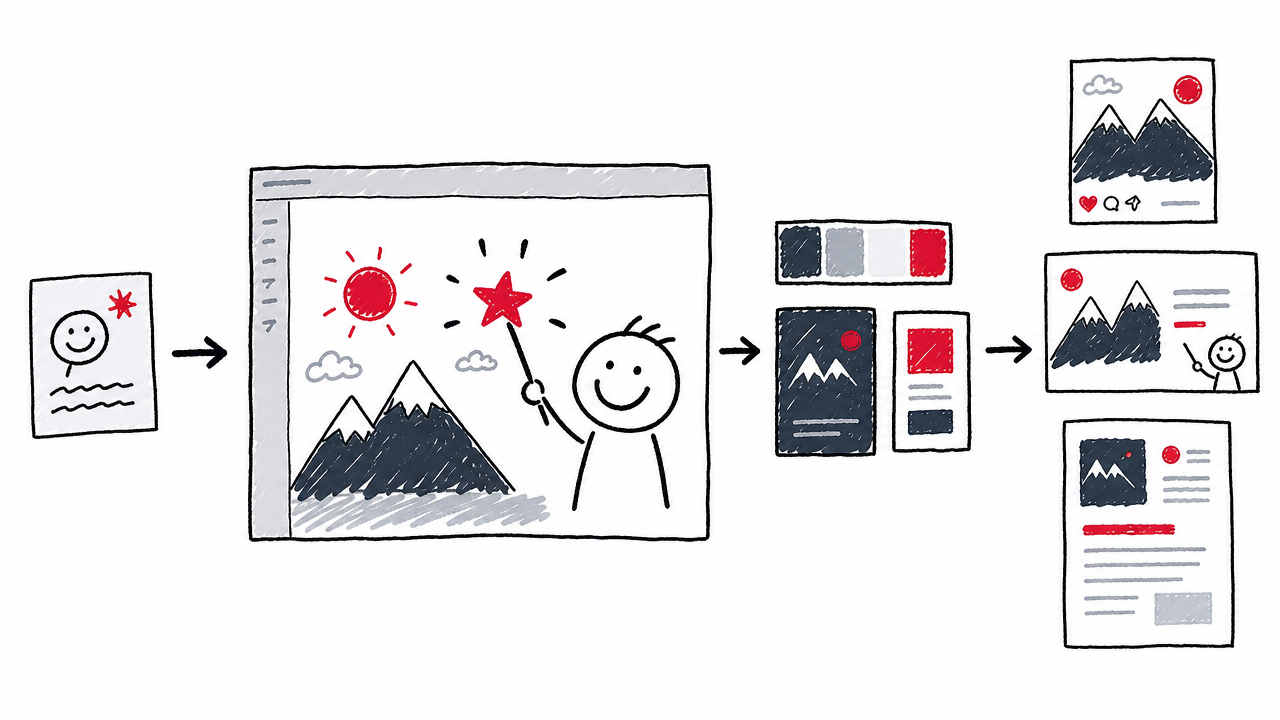
What it is. A design platform offering Magic Design (AI-powered layout generation from a text prompt or uploaded media), Magic Write (AI text), Magic Media (text-to-image and text-to-video), thousands of templates, brand kits, asset libraries, presentations, and basic video editing (Canva Magic Design).
Best for. Creators, marketers, and small teams who need polished visuals, social graphics, presentations, and branded templates without hiring a designer.
Standout trait. The end-to-end visual workflow. You can go from AI-generated concept through editing, brand-kit application, and multi-format export without leaving one interface.
Limitation. AI features are tiered into Standard and Premium actions. The Free plan allows roughly 200 Standard or 20 Premium AI uses. Pro is $180/yr for one person; Business is $250/yr per person. An optional AI Pass add-on serves heavy users but is not included by default (Canva pricing).
Adobe Express with Firefly: best for Adobe users and commercially cautious visual teams
Adobe Express paired with Firefly is the best option for teams already in the Adobe ecosystem and those who value Adobe's stated approach to commercially safe training data for AI-generated images.
What it is. Adobe's accessible content creation tool featuring AI-powered templates, Firefly image generation, text effects, video editing, resizing, social scheduling, and integration with Creative Cloud assets and Adobe Stock.
Best for. Teams already using Adobe Creative Cloud, and organizations that want to reduce commercial risk from AI-generated visuals by using Firefly's training data approach (trained on licensed and public domain content, according to Adobe).
Standout trait. Firefly's training-data approach, designed with commercial safety in mind, plus tight integration with Photoshop, Illustrator, and Adobe Stock assets.
Limitation. Users must still check terms per feature and output. AI-generated images are not automatically copyright-protected. Pricing varies by region and plan; verify on the live page (Adobe Express pricing).
Video and audio tools
Video and audio are the fastest-growing content formats. The tools below address different stages: transcript-based editing, generative video creation, short-form production, and AI voice synthesis.
Descript: best for editing video and podcasts as text
Descript is the best tool for creators who want to edit video and audio by editing text. Its transcript-first approach makes cuts, rewrites, filler-word removal, and overdubs as simple as editing a document.
What it is. A media editing platform where you edit video and audio by editing a text transcript. Features include automatic filler-word removal, Studio Sound (audio enhancement), AI-generated clips, voice cloning, dubbing, AI avatars, and Underlord (AI editing assistant).
Best for. Podcasters, YouTube creators, course producers, and marketers who find timeline-based editors (Premiere, Final Cut) cumbersome and prefer a document-style workflow.
Standout trait. The transcript-first editing model. Delete a word from the transcript and the corresponding audio/video segment is removed. Type a correction and Descript can generate an overdub in your cloned voice.
Limitation. Pricing uses two distinct units: media hours (processed audio/video time) and AI credits (consumed by AI features at varying rates).
Source: Descript pricing. Monthly billing is available at higher rates.
Runway: best for generative video experimentation
Runway is the leading platform for AI-generated video, offering text-to-video, image-to-video, and several model choices including Gen-4.5 for highest-fidelity output. It is built for creative professionals exploring the frontier of generative media.
What it is. An AI video platform offering text-to-video, image-to-video, video editing, image generation, upscaling, custom voices, and a choice of generative models with varying fidelity and cost.
Best for. Creative professionals, studios, and marketers exploring AI-generated video for ads, social content, concept visualization, or storytelling.
Standout trait. Several generative video models with production-level control. Gen-4.5 delivers the highest fidelity, while lower-cost models serve rapid prototyping.
Limitation. Credit consumption is steep for iterative work. Gen-4.5 uses 60 credits per 5-second generation. At the Standard tier (625 credits/mo), that is roughly 10 five-second clips before you exhaust your monthly allowance.
Source: Runway pricing.
CapCut: best for accessible short-form video
CapCut is the most approachable editor for social-first short-form video, offering templates, auto-captions, effects, and a low learning curve optimized for Reels, Shorts, and TikToks.
What it is. A cross-platform video editor (mobile, desktop, web) with templates, auto-captions, effects, transitions, and AI-assisted editing features designed for social-first content.
Best for. Social media creators and small teams producing Reels, Shorts, and TikToks who need speed and ease over generative-video experimentation or transcript-based editing.
Standout trait. Low learning curve and a mobile-first workflow with rich template and effect libraries tuned for the aspect ratios and styles social platforms reward.
Limitation. CapCut's Pro plan structure and pricing may vary by market; check the live flow for your region rather than relying on a single help page. CapCut is not a generative-video tool like Runway or a transcript editor like Descript; it is a practical production editor (CapCut help: monthly and yearly plans).
ElevenLabs: best for AI voiceovers and dubbing
ElevenLabs delivers the most realistic AI voiceovers available, with text-to-speech, voice cloning, dubbing, voice design, sound effects, and music generation in a shared credit system starting at just $6/mo.
What it is. An AI audio platform for text-to-speech, speech-to-text, voice design, voice cloning (with permission), multilingual dubbing, AI music, and sound effects.
Best for. Creators and teams needing realistic voiceovers, multilingual localization and dubbing, or audio production without a recording studio.
Standout trait. Voice quality and the breadth of voice products. You can clone a voice, design a new one, dub content into dozens of languages, and generate sound effects, all within one platform.
Limitation. Credits are shared across all products. Generating speech, dubbing audio, and creating sound effects all draw from the same monthly pool. Voice cloning requires explicit permission from the voice owner, and commercial rights depend on your plan tier.
Source: ElevenLabs pricing.
Social distribution
Buffer: best for social-content drafting, repurposing, and publishing
Buffer is the best tool for bridging content creation and social distribution. It combines AI-assisted caption writing, repurposing, scheduling, and analytics in one platform built for consistent social publishing.
What it is. A social media management platform with an AI Assistant for idea generation, caption rewriting, platform-specific post adaptation, scheduling, and performance analytics.
Best for. Solo creators and small teams who need to repurpose long-form content into social posts across channels and maintain a consistent posting schedule.
Standout trait. It bridges creation and distribution. The AI Assistant drafts platform-specific captions, repurposes existing content, and feeds directly into Buffer's scheduling and analytics, closing the loop from draft to published post to performance data.
Limitation. Buffer is not a long-form writer, image generator, or video editor. It works best paired with a creation tool (ChatGPT for text, Canva for visuals). Free plan: 3 channels, 10 posts each, 1 user. Essentials from $5/channel/mo annual; Team from $10/channel/mo annual with unlimited members and approval workflows (Buffer pricing).
Buffer's scheduling works best when paired with a content calendar; see our AI Content Calendar & Planning: The Complete Guide for a framework.
SEO and AI-search optimization
Surfer: best for SEO-led content teams
Surfer is the best optimization layer for content teams that need data-driven SEO guidance and emerging AI-search visibility tracking, not just content generation.
What it is. An SEO platform offering SERP-informed content briefs, on-page optimization scoring, content auditing, AI writing help, internal linking suggestions, and AI visibility tracking (AEO/GEO).
Best for. Content marketers and SEO teams who need to ensure their content is structurally optimized for both traditional search and AI-powered search experiences like AI Overviews.
Standout trait. Combines on-page SEO scoring with emerging AI-search visibility tracking, helping teams understand not only organic rankings but also whether content is being cited in AI-generated answers.
Limitation. Surfer is an optimization and measurement layer, not a visual, video, or audio creator. The Standard plan starts at about $99/mo billed annually, with higher tiers for larger teams. Plan names and pricing change often; recheck the live page (Surfer pricing). No SEO score guarantees rankings or AI citations.
How to choose: specialist stack vs. all-in-one platform
The decision between a single broad tool and a stack of specialists depends on your team size, content formats, and budget. Map your choice to the content pipeline stages: ideate → brief → draft → design → produce video/audio → repurpose → review → publish → measure.
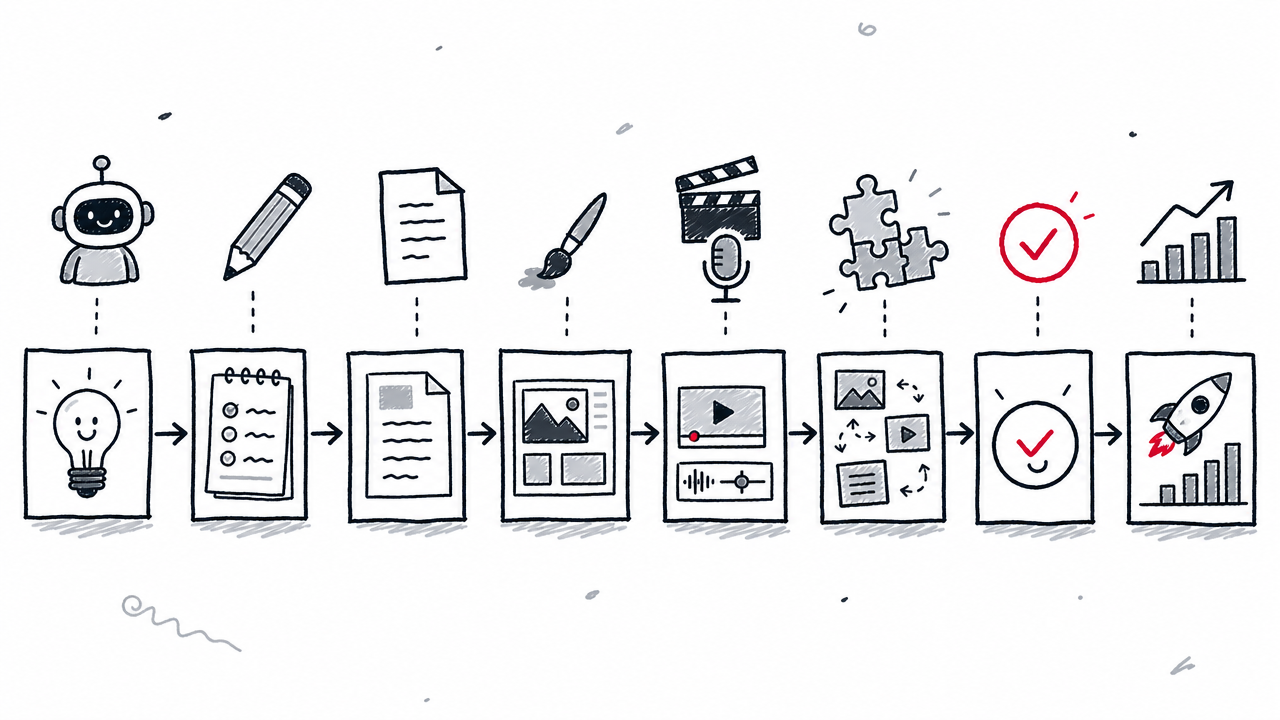
Solo creators can often cover their needs with two tools. ChatGPT or Claude handles ideation, drafting, and research. Canva handles design. That combination costs $0–$20/mo for text and $0–$180/yr for visuals.
Marketing teams get more from a purpose-built stack. Jasper for brand-governed drafting, Canva for design, Descript for video/podcast, Buffer for social distribution, and Surfer for SEO creates a pipeline where each specialist excels at its stage.
Watch for overlapping subscriptions. If Jasper, Copy.ai, and ChatGPT all provide text generation, you are paying three times for similar output. Audit which tool serves which stage and cut the overlap.
Integration points matter. When combining tools, check for API access, native connectors, and MCP integrations. A tool that cannot pass its output to the next stage in your pipeline creates manual copy-paste friction that erases the speed gains of AI.
For structuring a multi-tool workflow into a repeatable cadence, see How to Build an AI Content Calendar.
What AI content creation tools cannot do for you
Does AI-generated content need human editing?
Yes. Every AI-generated draft requires human editorial review before publication. The Future of the Creator Economy Report 2026, based on a survey of 3,000 professional creators, found that 75% of creators consider AI disclosure essential for trust. That trust depends on a human in the loop.
AI assistants hallucinate facts, misattribute sources, and produce plausible-sounding but incorrect claims. Fact-checking is non-negotiable. Brand-voice review ensures the output matches your tone and standards. Editorial responsibility remains with the publisher, not the tool.
The same report found that 94% of creators already use AI, but adoption does not remove the need for human judgment. AI accelerates drafting; humans ensure accuracy, originality, and trustworthiness.
Commercial use, copyright, and disclosure
A tool's commercial license is not the same as copyright protection. The U.S. Copyright Office's AI initiative addresses the copyrightability of AI-generated outputs. Current guidance indicates that purely AI-generated material (without enough human authorship) may not receive copyright protection. Commercial permission from a provider does not guarantee freedom from third-party claims.
The EU AI Act's Article 50 transparency obligations apply from 2 August 2026, requiring providers to ensure AI-generated content across audio, image, video, and text is marked in a machine-readable format where technically possible (European Commission Code of Practice). Human-reviewed text publications with editorial responsibility may receive different treatment, but teams should prepare for marking and disclosure requirements.
Voice cloning and likeness rights add another layer. Tools like ElevenLabs require explicit permission from the voice owner, but permission from the tool does not override local likeness-rights laws.
Data confidentiality matters too. Before uploading sensitive business information, check each tool's data-retention and training policies. Some tools use uploaded content to improve their models unless you opt out or use an enterprise plan with contractual data protections (SSO, SCIM, and enterprise security features are relevant here).
FAQ
What are AI content creation tools?
Software that uses generative AI (large language models, diffusion models, or other AI systems) to help produce, edit, or repurpose text, images, video, or audio content. They range from general-purpose assistants like ChatGPT to specialized platforms for marketing (Jasper), design (Canva), video (Descript, Runway), audio (ElevenLabs), social publishing (Buffer), and SEO (Surfer).
What is the best free AI content creation tool?
ChatGPT's free plan is the most versatile free starting point for text and image tasks. Canva Free is best for visual design, offering roughly 200 Standard AI uses or 20 Premium AI uses. ElevenLabs Free provides 10,000 audio credits per month for voiceover experimentation. No single free tool covers every format well.
Can AI-generated content rank in Google?
Google evaluates content quality regardless of how it was produced. AI-generated content can rank if it shows expertise, accuracy, and genuine value. An SEO optimization layer like Surfer can improve on-page signals, but no tool or score guarantees rankings or citations in AI-powered search features.
How do credits, words, and media hours differ?
Different tools meter usage differently. "Words" or "characters" measure text output directly. "Credits" are abstract units consumed at varying rates per feature (for example, Runway's Gen-4.5 uses 60 credits per 5-second video, while a lower-fidelity model might use fewer). "Media hours" count processed audio/video time in tools like Descript. Always check what one unit of a tool's currency buys before estimating costs.
How many AI tools does a small business need?
Most small businesses can start with two or three: a general-purpose assistant (ChatGPT or Claude) for text, a design tool (Canva) for visuals, and a social scheduler (Buffer) for distribution. Add specialists only as specific bottlenecks appear. The Epidemic Sound report found that 94% of creators already use AI, showing broad adoption, but more tools does not mean better output. Guard against subscription sprawl by auditing which tool serves which pipeline stage.
Pricing and features were verified in August 2026. AI tool capabilities change often; confirm details on each provider's website before buying.
Published: 4 August 2026