
AI Keyword Research - Tools and Workflows to Automate Discovery
Learn a 10-step AI keyword research workflow that pairs AI-powered ideation and clustering with verified data from Ahrefs, Semrush, and Google Search Console.


AI keyword research uses AI assistants and AI-powered SEO platforms to speed up keyword ideation, expansion, clustering, and intent classification. The core difference from traditional keyword research is where the labor shifts: instead of manually brainstorming seeds and sorting spreadsheets, you let AI handle the generative and organizational work, then let real search data make the decisions. An LLM can brainstorm hundreds of keyword hypotheses in seconds, yet not a single one carries verified volume or difficulty until you check it against tools like Google Search Console, Ahrefs, or Semrush. This guide walks through a 10-step workflow that pairs AI speed with data rigor.
What you need before you start
Gather five things before opening any tool: audience clarity, an AI assistant, a keyword database, first-party search data, and a place to merge lists. Missing any one of these creates a gap that AI cannot fill on its own.
A clear picture of the target audience, market, and business goals
Know who you serve, what you sell or publish, which geographies matter, and which funnel stages need content. Without this context, every AI prompt produces generic output.
Access to at least one general-purpose AI assistant
You need ChatGPT, Claude, Google Gemini, or Perplexity. Each handles brainstorming, list cleanup, classification, and brief drafting. None of them maintains a verified keyword database, so treat their output as ideation material.
Access to at least one keyword database
Use Ahrefs Keywords Explorer, Semrush Keyword Magic Tool, or Google Keyword Planner. Note that Google Keyword Planner requires account setup and billing information even for basic "Get ideas for new keywords" functionality, per Google's support guidance.
Google Search Console verified for the target site
Google Search Console provides actual queries, impressions, clicks, CTR, and average position. No third-party tool replicates this first-party data.
A spreadsheet or CSV workflow for combining lists
Google Sheets, Excel, or a CSV pipeline. You will merge outputs from several sources, and a single consolidated sheet prevents duplicates and lost data.
For a broader look at setting up automation across SEO workflows, see SEO Automation: The Complete Guide to Automated SEO Tools & Workflows.
The 10-step AI keyword research workflow
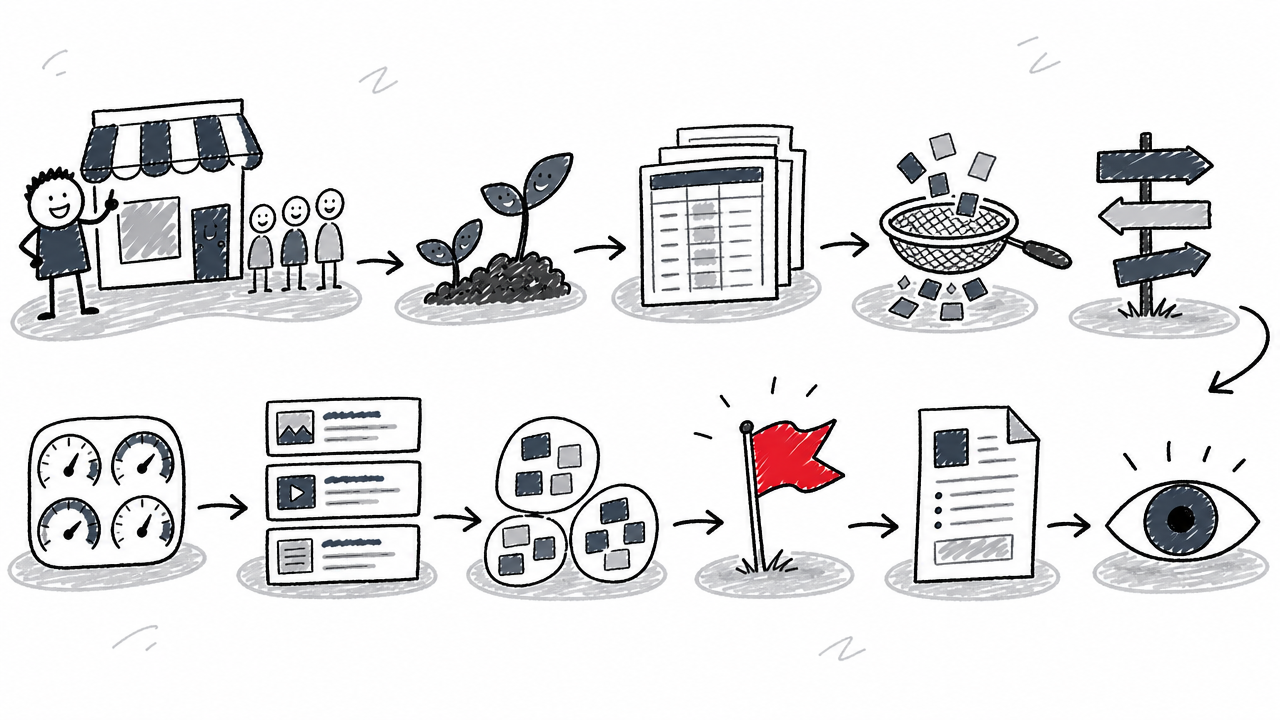
Step 1: Define business context and audience
Before you prompt anything, write down four things: who the audience is, what the business offers, which geographies and languages matter, and which funnel stages (awareness, consideration, decision) need content most urgently. This context statement becomes the opening line of every AI prompt you write. Skipping it produces keyword lists that look impressive but lack business alignment. A B2B SaaS company targeting enterprise buyers in the US needs entirely different keywords than a DTC brand selling to UK consumers, even if the product category overlaps.
Step 2: Generate seed topics with AI
Prompt an AI assistant for seed topics, customer language, pain points, use cases, and question variations. Use a guardrailed prompt to prevent the model from fabricating metrics:
"Generate keyword and question ideas for [audience] in [market] around [seed topic]. Group them by intent and reader stage. Do not invent search volume, CPC, difficulty, rankings, or current SERP facts. Mark every item that requires external validation."
This prompt produces dozens of hypotheses: long-tail keywords, semantic variations, and questions your audience might ask. Treat every line as an unverified idea. ChatGPT, Claude, and Gemini are strong at surfacing customer language you might not have considered, especially niche pain points and colloquial phrasing. But nothing here is data yet.
Step 3: Expand seeds with real data sources
Feed your AI-generated seeds into keyword databases and first-party sources. Each tool serves a distinct purpose, and they are not interchangeable.
Ahrefs or Semrush for keyword ideas, related terms, question reports, keyword difficulty, search volume, and traffic potential. Ahrefs Keywords Explorer provides Parent Topic grouping, SERP analysis, and AI-powered keyword suggestions. At the time of research, Ahrefs reported a database of 28.7 billion filtered keywords across 217 locations. Semrush Keyword Magic Tool offers keyword suggestions, volume, difficulty, CPC, intent labels, and long-tail filtering.
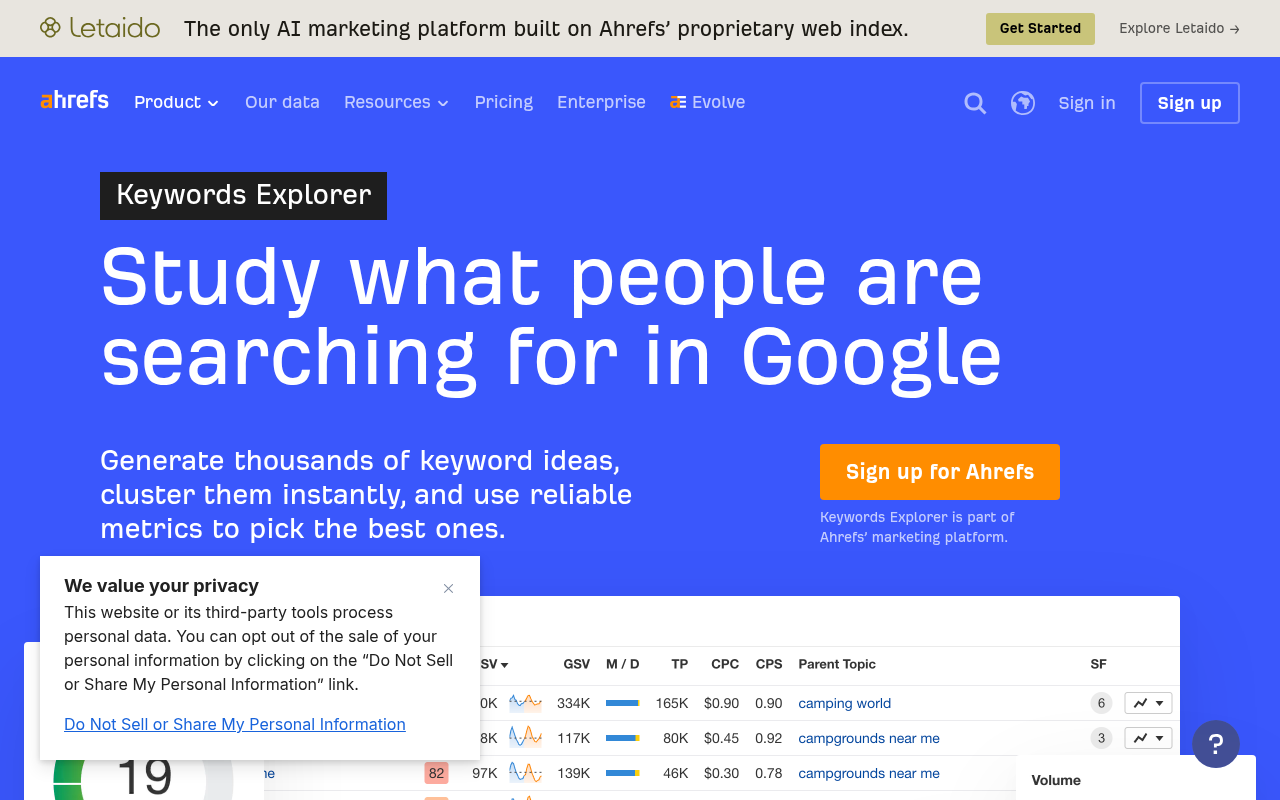
Google Keyword Planner for more keyword ideas and trend signals. Keyword Planner is particularly useful for discovering terms competitors bid on and for seeing directional trend data. Remember it shows bid-estimate ranges, not precise organic volumes.
Google Search Console for actual queries driving impressions and clicks to your site. The Performance report reveals clicks, impressions, CTR, and average position across query, page, country, device, and date dimensions. Highlight "striking distance" keywords: terms where your pages rank in positions 5–20 with high impressions but low clicks. These are often the easiest wins because the page already indexes for the query.
Google Trends for seasonality and rising topics. Google Trends shows relative search interest over time, not absolute volume. Use it to spot whether a topic is growing, declining, or seasonal.
AlsoAsked for People Also Ask question paths. AlsoAsked maps the branching questions Google surfaces, grouped by real user searches. It supports country and language targeting and CSV export. Use it for intent exploration and content-angle discovery, not as a search-volume source.
Step 4: Combine and deduplicate
Merge all exports into a single spreadsheet. You will likely have overlapping terms from Ahrefs, Semrush, Keyword Planner, GSC, and your AI brainstorm. Upload the combined CSV to an AI assistant and prompt it to remove near-duplicates, normalize phrase variations (e.g., "ai keyword research" and "keyword research ai"), and flag obviously irrelevant terms that slipped in. This step alone can cut a 2,000-row list down to 800 unique candidates in minutes.
Step 5: Classify intent and funnel stage with AI
Upload the deduplicated list to ChatGPT or Claude and prompt: "For each keyword, label the search intent as informational, commercial investigation, transactional, or navigational. Also assign a funnel stage: awareness, consideration, or decision. Output as a table." AI handles this classification quickly and with reasonable accuracy for clear-cut terms.
Stress-test the results. Ambiguous queries (e.g., "best keyword research tool") could be commercial investigation or informational depending on the SERP. Spot-check at least 10–15% of the list against live search results. Classification is interpretive, and AI will sometimes guess wrong on edge cases.
Step 6: Enrich with verified metrics
Add search volume, keyword difficulty (KD), CPC, traffic potential, trend direction, and current site position from your keyword database and GSC. This is the step where real data replaces hypothesis.
KD scores are tool-specific. Ahrefs calculates KD from the average number of backlinks to top-ranking pages, so a KD of 40 in Ahrefs means something different than a KD of 40 in Semrush. Never compare difficulty scores across platforms as if they use the same scale.
Do not let AI invent these numbers. If you ask ChatGPT for the search volume of a keyword, it may confidently provide a fabricated figure. Always pull metrics from a keyword database or GSC export.
Step 7: Review live SERPs
Manually check SERPs for your top 20–30 candidates. Open an incognito window (or use a SERP checker) and note:
- Dominant format: Are the top results how-to guides, product pages, listicles, videos, or tools?
- SERP features: Featured snippets, People Also Ask, image packs, AI Overviews?
- Result overlap: Do two candidate keywords show nearly identical top-10 results?
If several terms produce the same ranking pages, they belong on a single page rather than separate ones. This prevents keyword cannibalization.
This step also helps you find keywords likely to trigger AI Overviews. Look for queries that already show an AI Overview in the SERP. According to Google Search Central's AI features guidance, AI Overviews and AI Mode use "query fan-out," issuing related searches across subtopics. Pages must be indexed and eligible to appear with a snippet to show as supporting links. If a candidate keyword triggers an AI Overview, note the content format and source types cited, then structure your page to match.
Step 8: Cluster by topic and intent
Use AI to group keywords that share intent and could be served by a single page. The principle behind keyword clustering is search-results similarity: if Google ranks the same pages for two queries, those queries belong in the same cluster.
Upload your enriched list to an AI assistant with the prompt: "Group these keywords into clusters where the searcher's intent is similar enough that one page could serve all queries in the cluster. Name each cluster with a descriptive topic label."
Ahrefs' Parent Topic feature and Semrush's clustering tools can assist with this step programmatically. As the Ahrefs blog on AI keyword research notes, AI is useful for brainstorming, clustering, intent classification, and deduplication, but chatbots should work from uploaded or connected data when the task depends on volume, difficulty, or competitor metrics.
Step 9: Prioritize opportunities
Score each cluster using a transparent framework rather than defaulting to "highest volume wins."
A low-volume, high-conversion cluster often outperforms a high-volume informational cluster in revenue impact. Volume alone is a poor proxy for value.
Step 10: Create content briefs and track performance
Turn approved clusters into content briefs. Each brief should specify: the target keyword, supporting terms from the cluster, classified intent, recommended content format (based on Step 7's SERP review), and internal-link targets.
After publishing, track performance through GSC's Performance report: watch impressions, clicks, CTR, and average position for the target queries. Recheck rankings in your keyword database monthly, and revisit Google Trends for shifts in demand.
When scaling page creation from keyword clusters, see Programmatic SEO: A Practical Guide to Scaling Pages at Scale, but remember that scale without quality triggers Google's scaled-content-abuse policy.
How to use AI for competitor keyword research
Competitor research finds terms rival sites rank for that your site does not. AI can speed up the analysis and help you decide which gaps are worth filling.
- Export competitor keyword data. Pull a competitor's organic keywords from Ahrefs (Site Explorer → Organic Keywords) or Semrush (Domain Overview → Organic Research). Export as CSV.
- Run a content-gap report. Both Ahrefs and Semrush offer built-in content-gap tools that compare your domain against competitors and surface keywords they rank for but you do not.
- Upload the gap list to an AI assistant. Prompt: "Review this list of keywords my competitors rank for. Group them by topic, label intent, and flag the clusters with commercial or transactional intent that are most relevant to [business description]."
- Cross-check with your own GSC data. Some "gaps" may be terms where you already get impressions but rank too low to earn clicks. These striking-distance terms are often easier to win than brand-new topics.
- Decide: new page or page update? If a gap cluster maps to an existing page on your site, update that page. If no page exists, add the cluster to your content calendar.
AI handles the sorting and labeling; the decision to pursue a gap still requires human judgment about business fit, content quality, and resource cost.
How to find long-tail keywords with AI
Long-tail keywords are longer, more specific phrases with lower search volume but often higher conversion intent. AI assistants are especially good at generating them because they can mimic the way real people phrase questions.
- Prompt for specificity. Ask: "List 30 long-tail keyword variations for [seed topic] that include modifiers like 'for beginners,' 'without code,' 'free,' 'vs,' or 'step by step.' Do not invent search volume."
- Mine People Also Ask. Upload an AlsoAsked export to ChatGPT or Claude and ask it to rewrite each question as two or three related long-tail phrases.
- Check GSC for hidden long-tails. Filter your Performance report for queries with 4+ words. These real search terms often reveal phrasing you would never brainstorm on your own.
- Verify demand. Cross-reference every AI-generated long-tail against your keyword database. Some phrases will have zero recorded volume but still drive traffic (GSC can confirm this).
Long-tail keywords are where AI ideation and first-party data overlap best: AI creates breadth, and GSC or a keyword database confirms which phrases people actually use.
How to automate repetitive steps
Automation ranges from copy-paste CSV work to fully programmatic pipelines. Choose the tier that matches your technical resources and volume.
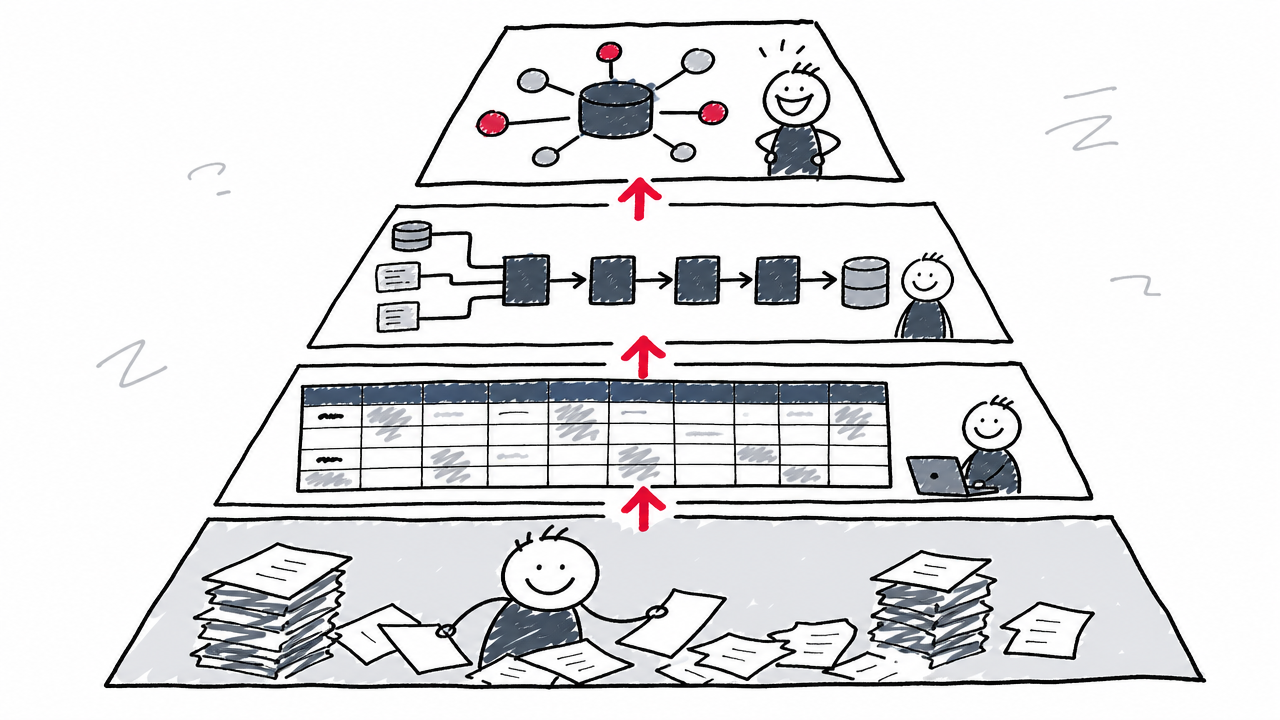
Manual CSV upload to an AI assistant
Export keyword lists from Ahrefs, Semrush, or GSC as CSV files. Upload them to ChatGPT or Claude and prompt for batch classification, clustering, deduplication, or brief generation. This requires no coding and handles lists of several thousand rows comfortably. The fastest way to start.
Spreadsheet formulas and batch processing
Use Google Sheets formulas, pivot tables, or Apps Script to clean, deduplicate, normalize case, and label keywords at scale. Conditional formatting can flag striking-distance keywords automatically. This approach is repeatable and version-controlled.
API-based expansion and enrichment
Connect keyword-database APIs to Python scripts, Google Sheets add-ons, or automation platforms. Pull volume, difficulty, SERP data, and competitor rankings programmatically for hundreds of seeds in one run. This eliminates the manual export-import cycle and enables scheduled refreshes.
What is MCP in AI keyword research?
Model Context Protocol (MCP) is a standardized way to connect AI assistants directly to external data sources. Ahrefs MCP documentation describes it as a hosted MCP server that lets supported AI tools query Ahrefs data within a conversation. Access requires a paid plan (starting from Lite), with plan-specific row limits and monthly API units. MCP is not a general-purpose programmatic API; it is designed for interactive, AI-assistant-driven queries against SEO databases.
For a deeper look at building automation pipelines across SEO tasks, see SEO Automation: The Complete Guide to Automated SEO Tools & Workflows.
AI-search research vs. Google keyword research
Conventional keyword research and AI-search research target different surfaces and require different tools. Conflating them leads to misallocated effort.
Conventional keyword research targets Google SERPs. You optimize for volume, rankings, and click-through.
AI-search or prompt research studies what users ask AI systems and which sources get cited in responses. Semrush Prompt Research is one example, covering prompts across ChatGPT, Perplexity, Gemini, AI Mode, and other AI-search environments. Semrush reports a database of 289 million-plus real prompts refreshed monthly (a vendor-reported, changing figure).
Google's own AI features add another layer. According to Google Search Central's AI features guidance, AI Overviews and AI Mode use "query fan-out," issuing related searches across subtopics and data sources. Pages must be indexed and eligible to appear in Google Search with a snippet to be eligible as supporting links. No extra technical requirements apply beyond standard SEO fundamentals.
Both research modes matter, but they answer different questions. Keyword research asks "what do people search on Google?" Prompt research asks "what do people ask AI, and who gets cited?"
Common mistakes and how to avoid them
Trusting AI-invented metrics. ChatGPT, Claude, and Gemini do not have built-in keyword databases. Ask any of them for the search volume of a keyword and they may present a fabricated number with full confidence. Always check metrics against Ahrefs, Semrush, Google Keyword Planner, or GSC.
Publishing scaled AI content from keyword lists. Google's guidance on generative AI content states that generating many pages without adding value may violate its scaled-content-abuse spam policy. AI-assisted research is not a license to mass-produce thin pages.
Skipping SERP review. Clustering keywords by topic without checking actual search results leads to keyword cannibalization and mismatched content formats. Two keywords that look similar on a spreadsheet may return entirely different SERP types.
Ignoring first-party data. GSC reveals what real users already search and click on your site. Skipping it means missing striking-distance keywords that need only a page update, not a new page.
Automating judgment. AI speeds up repetitive tasks: deduplication, classification, clustering, brief drafting. A human must still approve intent labels, verify factual accuracy, assess content quality, and decide whether to publish.
FAQ
What is the best AI keyword research tool?
No single tool covers every step. For ideation, ChatGPT or Claude work well. For verified metrics and SERP data, Ahrefs Keywords Explorer and Semrush Keyword Magic Tool combine AI features with real keyword databases. For first-party data, Google Search Console is irreplaceable. The best setup combines an AI assistant for generation and organization with a keyword database for verification.
What is the difference between traditional keyword research and AI keyword research?
Traditional keyword research relies on manual brainstorming, seed entry into keyword tools, and spreadsheet sorting. AI keyword research offloads the generative and organizational steps (brainstorming, deduplication, clustering, intent labeling) to AI, then uses the same data sources for verification. The data and the decisions stay the same; the labor shifts to the machine for repetitive tasks and stays with the human for judgment calls.
Can ChatGPT do keyword research?
ChatGPT can brainstorm keyword ideas, classify intent, clean and deduplicate lists, and draft content briefs. It cannot reliably provide search volume, keyword difficulty, or current SERP data because it lacks a live keyword database. Treat its output as ideation that requires verification against a real data source.
Can AI replace Ahrefs, Semrush, or Google Keyword Planner?
No. General-purpose AI assistants generate ideas and organize data but do not maintain verified search-volume or difficulty databases. AI-powered SEO platforms combine AI features with real keyword data, making them complementary rather than interchangeable.
How do you find long-tail keywords with AI?
Prompt an AI assistant for specific, modifier-rich variations of your seed topics (e.g., "for beginners," "without code," "step by step"). Combine those ideas with People Also Ask data from AlsoAsked and long-query filters in GSC. Then verify demand in a keyword database. See the dedicated section above for the full process.
How do you use AI for competitor keyword research?
Export a competitor's organic keywords from Ahrefs or Semrush, run a content-gap report, then upload the gap list to an AI assistant for topic grouping and intent labeling. Cross-check against your own GSC data to find striking-distance terms. See the competitor research section above for step-by-step details.
How do you find keywords for Google AI Overviews?
During Step 7 (SERP review), note which candidate keywords already trigger an AI Overview. Study the content format and source types cited in the overview. Structure your page to match: clear answers, well-organized subheadings, and factual depth. Per Google's AI features guidance, pages must be indexed and snippet-eligible to appear as supporting links. No special technical markup is required beyond standard SEO best practices.
How do you avoid hallucinated keyword data?
Include an explicit instruction in every prompt: "Do not invent search volume, CPC, difficulty, or rankings." Then verify every metric against a keyword database or GSC before acting on it.
Should every keyword in a cluster get its own page?
Not necessarily. If several keywords produce nearly identical SERPs (the same pages ranking in the same order), a single page can target the entire cluster. Check search-results overlap before creating separate pages.
Is AI-generated SEO content allowed by Google?
Google permits AI-assisted content that meets its Search Essentials and is helpful, reliable, and people-first. Mass-producing low-value pages may trigger the scaled-content-abuse spam policy. See Google's guidance on generative AI content for the full policy.