
The SEO Checklist for 2026 - From Technical Crawl to AI Citations
An 80+ task SEO checklist in seven phases covering measurement setup, technical crawl, on-page relevance, content quality, internal linking, authority, and AI s

A phased, reusable SEO checklist with 80+ verifiable tasks in seven phases: measurement setup, technical crawl, on-page relevance, content quality, internal linking, authority, and AI search readiness. Every item is a concrete, checkable action a solo marketer can complete, record, and revisit. Copy it into a spreadsheet or project tool, work through it once, then return to each phase on its recommended cadence.
How to use this checklist
Work top to bottom, phase by phase. Each item uses a checkable verb: verify, inspect, submit, test, record, compare, remove, add, or review. When you finish an item, note the date and the tool or URL you used.
Copy the checklist into a spreadsheet or project board with these columns:
Phase 0 and Phase 1 are one-time setup or quarterly audits. Phases 2–3 apply per page and during content refreshes. Phase 4 runs after every priority publish and quarterly. Phase 5 is reviewed monthly. Phase 6 is recurring: monthly prompt tests, plus a crawler-policy review after every infrastructure change.
This checklist is current as of August 2026. Time-sensitive items (AI crawler policies, Core Web Vitals thresholds, Search Console features) should be reverified against the linked primary sources.
Phase 0: measurement setup and priorities
Establish tools and baselines before touching anything on the site. Without this phase, you cannot measure whether later fixes actually improve performance.
- [ ] Verify the site in Google Search Console. Use DNS, HTML tag, or domain-level verification (URL Inspection documentation).
- [ ] Add the site to Bing Webmaster Tools. Import from Google Search Console for the fastest setup.
- [ ] Confirm GA4 is installed and receiving data. Check real-time reports for a live hit.
- [ ] Record primary organic goals. Leads, sales, subscriptions, or qualified visits: write them down before optimizing.
- [ ] Create a keyword-to-URL map for priority topics. One primary keyword or theme per URL, tracked in a spreadsheet.
- [ ] Record baseline metrics. Organic clicks, impressions, CTR, average position, conversions, and indexed page count.
- [ ] Save a list of priority URLs for recurring checks. These are the pages you will revisit in every phase.
- [ ] Set a monthly review date and a quarterly full-audit date. Put both on a shared calendar now.
Phase 1: technical crawl and indexability
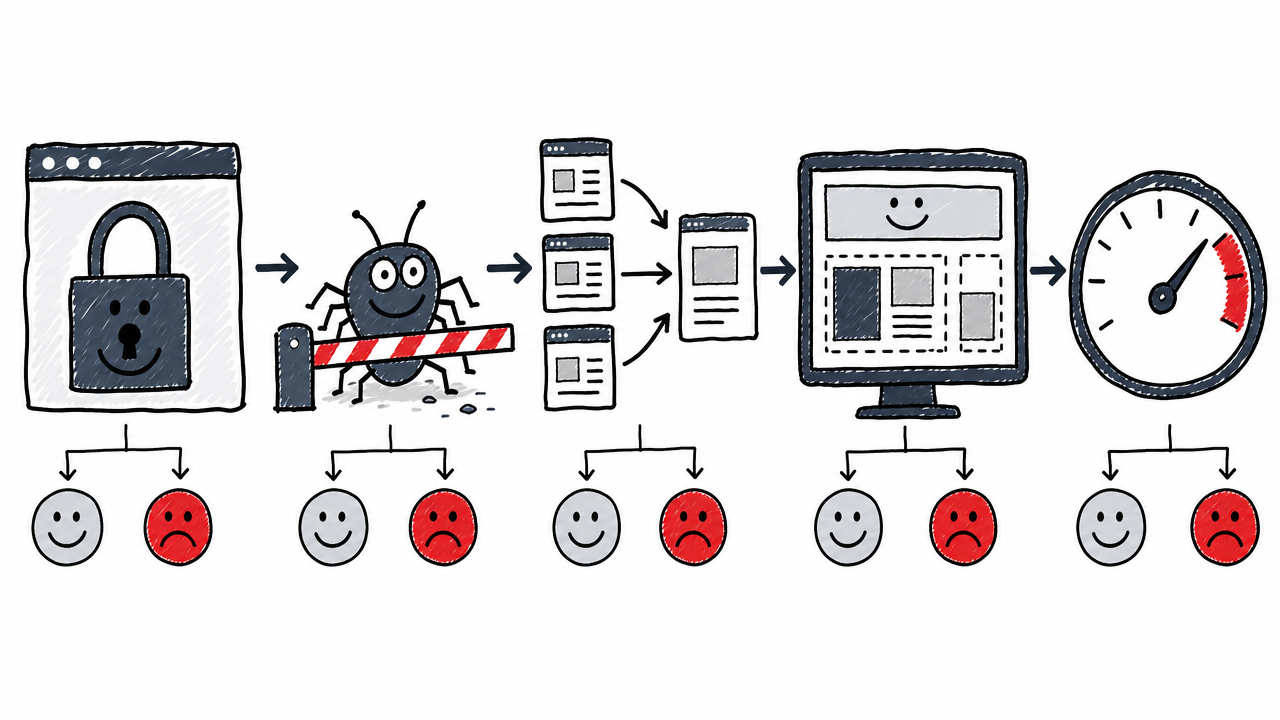
Fix how search engines discover, render, and index the site before optimizing content. Items run from foundational access through crawl controls, canonicalization, rendering, mobile usability, and Core Web Vitals.
HTTPS, host version, and status codes
- [ ] Confirm HTTPS redirects correctly from HTTP. Load
http://yourdomain.comand verify it 301-redirects tohttps://. - [ ] Confirm the preferred host version (www or non-www) is consistent. One should redirect to the other.
- [ ] Confirm priority URLs return HTTP 200. Crawl your priority URL list and flag non-200 responses.
- [ ] Find and fix important 4xx and 5xx URLs. Check Search Console's Pages report for errors.
- [ ] Replace redirect chains with a direct redirect to the final URL. A → B → C should become A → C.
- [ ] Remove redirect loops. Any URL that redirects back to itself or into a cycle blocks crawling entirely.
Crawl controls and sitemaps
- [ ] Inspect
/robots.txtand confirm it does not block important content, CSS, JS, or images. Note:robots.txtcontrols crawler access but is not an indexing control; usenoindexto prevent indexing. - [ ] Confirm the XML sitemap loads and contains only preferred, indexable, canonical URLs. Google's sitemap guidance notes sites under ~500 pages may not need one, but it remains useful for large, new, or media-heavy sites.
- [ ] Submit the sitemap in Google Search Console and Bing Webmaster Tools.
- [ ] Confirm rankable pages are not marked
noindex. Confirm excluded pages usenoindexor access controls rather thanrobots.txtalone.
Canonicalization and duplicate URLs
- [ ] Check canonical tags on priority pages. Use URL Inspection to see the Google-selected canonical.
- [ ] Confirm internal links point to the preferred canonical URL. Avoid linking to non-canonical versions.
- [ ] Find duplicate URL versions caused by parameters, filters, print pages, or trailing-slash variations.
- [ ] Confirm pagination and faceted navigation do not create uncontrolled crawl paths. Redirects and
rel="canonical"are strong canonicalization signals; sitemap inclusion is weaker.
Rendering, mobile usability, and Core Web Vitals
- [ ] Inspect priority URLs with the URL Inspection tool. Compare rendered output with raw HTML to catch JS-dependent content.
- [ ] Confirm primary content is available without login, CAPTCHA, or fragile client-side interaction.
- [ ] Confirm the site uses crawlable
<a href>links for important navigation. Google discovers links through<a>elements with anhrefattribute. - [ ] Test on mobile devices. Check layout, tap targets, and readability.
- [ ] Run representative URLs through PageSpeed Insights.
- [ ] Check Core Web Vitals at the 75th percentile. Good thresholds: LCP ≤ 2.5 s, INP ≤ 200 ms, CLS ≤ 0.1 (web.dev/articles/vitals).
- [ ] Run a full site crawl and export critical errors. Use Screaming Frog, Sitebulb, or a comparable crawler.
Phase 2: on-page relevance and SERP presentation
Make each page understandable and compelling to both search engines and users.
- [ ] Assign one primary search intent to each priority page. Informational, navigational, commercial, or transactional.
- [ ] Confirm the page matches the dominant SERP format. Guide, list, comparison, product page, etc.
- [ ] Assign one primary keyword or query theme. Map secondary questions to the same or supporting pages.
- [ ] Write a unique title tag with the main topic near the beginning.
- [ ] Write a unique meta description that explains the page's value and encourages a qualified click.
- [ ] Use a short, descriptive URL slug for new pages. Avoid changing established URLs without a migration plan.
- [ ] Use one clear, descriptive H1.
- [ ] Organize subheadings (H2, H3) in a logical hierarchy.
- [ ] Put the direct answer or main conclusion near the top of the page.
- [ ] Use question-based headings when they match real search queries.
- [ ] Format processes as ordered lists; format comparisons as tables.
- [ ] Add descriptive alt text to meaningful images. Leave decorative images with empty alt.
- [ ] Check that title, H1, URL, and visible copy describe the same topic.
- [ ] Remove unnatural keyword repetition.
- [ ] Add relevant, trustworthy external sources for claims that need support.
What is the difference between technical SEO and on-page SEO?
Technical SEO (Phase 1) makes pages accessible, renderable, and indexable by search engines. On-page SEO (Phase 2) makes the page understandable and compelling for a given query. Content quality (Phase 3) decides whether the page deserves visibility. This checklist separates them into distinct phases because fixing one category rarely solves problems in another.
Phase 3: content quality and trust
This phase decides whether the page deserves visibility. It covers completeness, originality, E-E-A-T signals, freshness, and declining-page triage.
- [ ] Compare the page with current top results for completeness, usefulness, and format.
- [ ] Identify at least one meaningful improvement over the ranking pages.
- [ ] Add first-hand experience, original examples, screenshots, data, or practical observations.
- [ ] Verify every statistic, date, product capability, price, regulation, and "latest" claim.
- [ ] Cite primary sources for important factual claims.
- [ ] Remove unsupported claims and generic filler.
- [ ] Check for duplicate or substantially overlapping pages on the same site.
- [ ] Resolve keyword cannibalization by merging, differentiating, or redirecting competing pages.
- [ ] Add a named author and link to a biography or credentials page where expertise matters.
- [ ] Add an editorial-review or fact-checking note for high-stakes content.
- [ ] Display a publication or last-updated date when freshness matters.
- [ ] Update outdated examples, statistics, screenshots, and links.
- [ ] Review pages with declining clicks, impressions, or rankings in Search Console. Decide: refresh, merge, redirect, or retire.
- [ ] Keep content length proportional to the query. Do not pad for word count.
How do I improve E-E-A-T?
E-E-A-T is not a single score but a framework Google's quality raters use. Show experience and expertise through original evidence, author credentials, transparent sourcing, and accurate claims. Build authority and trust through the site's broader reputation, consistent editorial standards, and genuine external references.
Phase 4: internal linking and information architecture
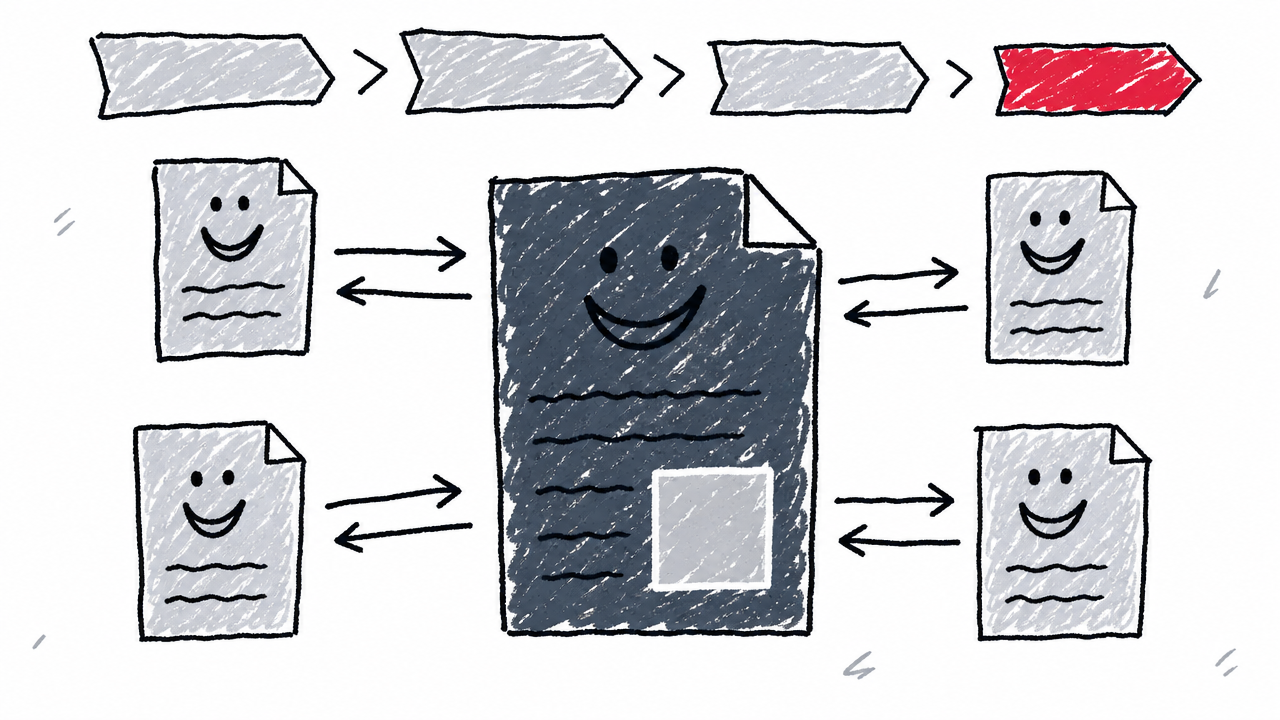
Build internal pathways that help users and crawlers discover priority content.
- [ ] Confirm every important indexable page has at least one crawlable internal link. Google states every important page needs at least one.
- [ ] Find orphan pages in the crawl. Link, merge, redirect, or remove them.
- [ ] Link from relevant high-authority pages to priority pages.
- [ ] Add links between a pillar page and its supporting pages.
- [ ] Use descriptive anchor text. Replace generic "click here" or "read more" where possible.
- [ ] Link to the next useful step in the user journey.
- [ ] Check that navigation, breadcrumbs, and contextual links agree about the site hierarchy.
- [ ] Audit internal links for 4xx, 5xx, redirecting, or irrelevant destinations.
- [ ] Review internal-link coverage after publishing every new priority page.
Do not treat an arbitrary "three-click rule" or fixed links-per-1,000-words number as a Google rule. Use discoverability, relevance, and user usefulness as the pass criteria.
Phase 5: authority and off-page signals
Earn external trust and discoverability through editorial references and genuine audience demand.
- [ ] Export the backlink profile from a reputable tool (Ahrefs, Semrush, Moz, or similar).
- [ ] Identify referring domains linking to competitors but not to this site.
- [ ] Check whether important pages (not only the homepage) have external links.
- [ ] Review backlinks for relevance, editorial context, and manipulation signals.
- [ ] Avoid buying links or joining link schemes.
- [ ] Create a list of linkable assets: original research, tools, templates, data, or expert resources.
- [ ] Promote useful assets to relevant journalists, publishers, and industry sites.
- [ ] Reclaim unlinked brand mentions where a link would help readers.
- [ ] Maintain accurate NAP (name, address, phone) across local listings and Google Business Profile if applicable.
- [ ] Check Search Console for manual actions and security issues.
- [ ] Track referring domains, earned links, and qualified referral traffic over time.
Phase 6: AI search readiness and citations
Make content accessible, extractable, and verifiable for AI-powered search surfaces. Google states that AI Overviews and AI Mode use core Search ranking and quality systems, including retrieval-augmented generation (RAG) and query fan-out. Pages must be indexed and snippet-eligible. This phase extends good SEO rather than replacing it.
Write extractable answers
- [ ] Put a concise, self-contained answer near the beginning of each priority page.
- [ ] Place a direct answer immediately after question-based headings.
- [ ] Make each key answer understandable if quoted without surrounding context.
- [ ] State entities, products, people, organizations, and dates explicitly. Avoid ambiguous pronouns.
- [ ] Use lists for steps and tables for comparisons.
- [ ] Include original information, not merely a rewrite of existing top results.
- [ ] Test priority queries manually in Google AI Overviews, AI Mode, ChatGPT Search, and Perplexity where available.
- [ ] Record whether the site is cited, which URL, and whether the cited passage is accurate.
Add and validate structured data
- [ ] Select structured data types that accurately describe visible page content (Article, BreadcrumbList, Organization, Person, Product, Review, etc.). Markup must match visible content.
- [ ] Use JSON-LD where practical.
- [ ] Match every schema property to visible, factual content on the page.
- [ ] Validate with Google's Rich Results Test.
- [ ] Monitor valid and invalid items in Search Console.
- [ ] Do not add a special "AI citation schema." Google's current guidance says no special markup is needed for its AI features.
- [ ] Do not mark up hidden, fictional, or exaggerated content.
Google's case studies: Rotten Tomatoes reported 25% higher CTR on pages with structured data; Nestlé saw 82% higher CTR for rich results. These are individual case studies, not universal guarantees.
Should I allow AI crawlers in robots.txt?
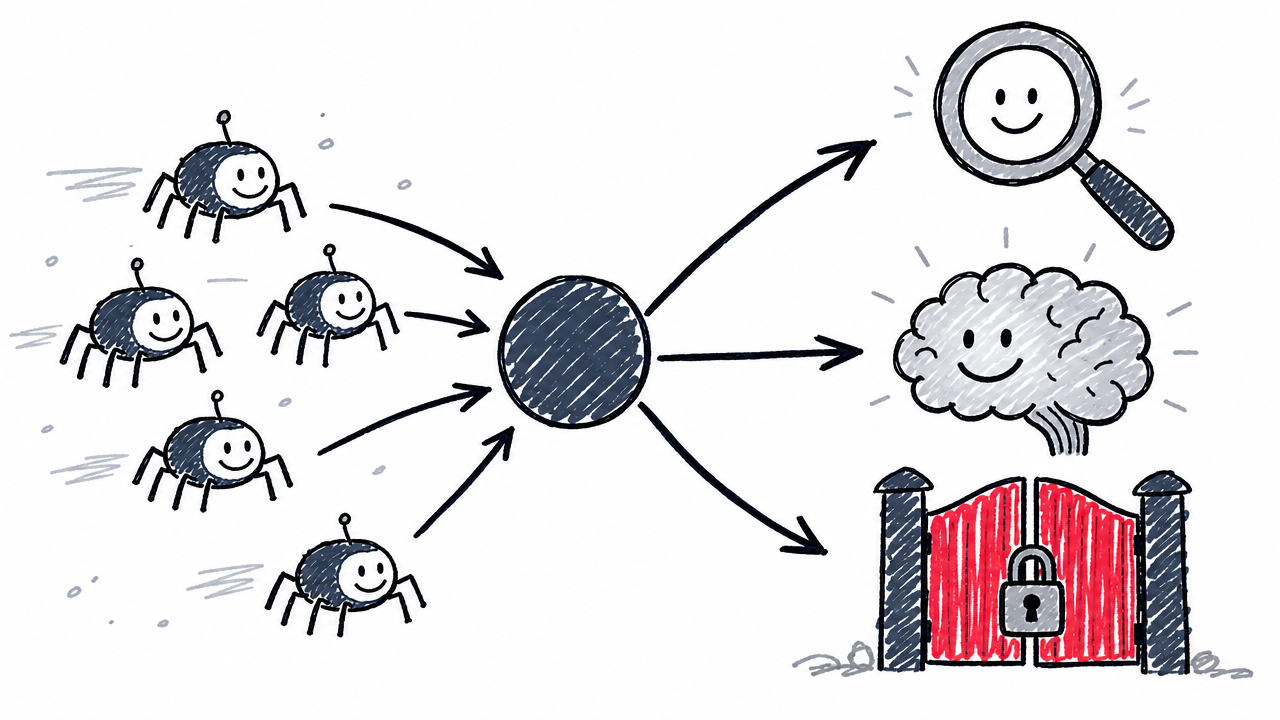
Make a deliberate, documented decision for each crawler rather than blindly allowing or blocking all bots.
- [ ] Decide separately whether the business wants search visibility, model-training inclusion, user-triggered retrieval, or a combination.
- [ ] Confirm Googlebot access for pages intended for Google Search.
- [ ] If ChatGPT Search visibility is desired, allow
OAI-SearchBot. Decide separately whether to allowGPTBot(training crawler). OpenAI documents them as distinct. - [ ] If Claude search visibility is desired, allow
Claude-SearchBot. ReviewClaudeBotseparately for model-training policy. - [ ] If Perplexity visibility is desired, allow
PerplexityBotand verify WAF rules against Perplexity's published IP ranges. - [ ] Check that WAF, CDN, bot-mitigation, and rate limits do not block legitimate crawlers.
- [ ] Verify suspected bot traffic by published IP ranges, not just user-agent string.
- [ ] Keep a dated record of the crawler policy and the reasoning behind each decision.
- [ ] Recheck access after CDN, WAF, CMS, or robots-file changes.
Should I create an llms.txt file?
llms.txt is an optional, platform-specific convention, not a Google Search factor.
- [ ] Decide whether an
llms.txtprovides genuine value for the site's documentation or agent workflows. The llmstxt.org proposal describes a concise Markdown file at/llms.txtlinking to a site's most useful pages. - [ ] If used, publish at
/llms.txtfollowing the current proposal format. - [ ] Ensure linked pages are accessible and current.
- [ ] Do not create
llms.txtexpecting a Google ranking or AI Overview boost. Google's guide states no special files are required for Google Search or its AI features. - [ ] Check that
/llms.txtreturns a deliberate response, not a server error. Chrome Lighthouse flags server errors but marks a missing file as "Not Applicable".
How do I measure AI search visibility?
No single tool covers every AI surface yet. Combine these checks:
- [ ] Check whether the Search Console generative AI performance report is available for the property. The report is still rolling out to a subset of properties.
- [ ] Record AI Overview and AI Mode impressions by page, country, device, and date where available.
- [ ] Compare AI-feature impressions with standard Search clicks and CTR.
- [ ] Review Bing Webmaster Tools for available SEO/GEO citation reporting.
- [ ] Track ChatGPT referral traffic separately where analytics identifies it.
- [ ] Maintain a dated prompt log for priority commercial and informational queries.
- [ ] Record citation presence, cited URL, cited passage, competitor citations, and test date.
- [ ] Do not treat a single AI answer as a stable position. Repeat tests over time.
- [ ] Add analytics annotations for major content, technical, or crawler-policy changes.
How often should I run this checklist?
Set calendar reminders tied to the monthly and quarterly dates you chose in Phase 0. Consistency matters more than perfection: a brief monthly check catches regressions before they compound.
FAQ
What is an SEO checklist?
A structured list of concrete, verifiable tasks that ensure a website is discoverable, indexable, relevant, and trustworthy to search engines and AI-powered search surfaces. It works as a reusable audit template a solo marketer or team can revisit on a fixed cadence.
How do I check whether my website is indexed by Google?
Use the URL Inspection tool in Google Search Console or search site:yourdomain.com in Google. The URL Inspection tool shows index status, Google-selected canonical, and any crawl issues for a specific URL.
What is the difference between OAI-SearchBot and GPTBot?
OAI-SearchBot surfaces pages in ChatGPT Search results. GPTBot is a separate crawler used for content that may train OpenAI foundation models. Allowing or blocking one does not control the other.
Does llms.txt help Google rankings?
Google's AI optimization guide states that no special files, AI text files, or Markdown files are needed to appear in Google Search or its AI features. llms.txt is an optional, emerging convention described at llmstxt.org, useful mainly for agent and documentation workflows. It is not a confirmed Google ranking factor.
What should I fix first when a website is not ranking?
Start with Phase 1 (technical crawl and indexability). If Google cannot crawl, render, or index a page, no amount of content or link work will help. After confirming access and indexation, move to on-page relevance (Phase 2) and content quality (Phase 3).