
Best Automated SEO Tools
Comparing the best automated SEO tools across five automation levels, from free monitoring with GSC to automated deployment with OTTO SEO, with verified pricing

Best automated SEO tools
The best automated SEO tool depends on what happens after a problem is found. Some tools only monitor and report, others recommend fixes, and a few deploy changes directly to a live site. This round-up covers eight tools across that spectrum: Search Atlas OTTO SEO (automated implementation), Semrush (all-in-one monitoring), Ahrefs (backlink intelligence), SE Ranking (agency reporting), Surfer (content optimization), Screaming Frog (technical crawling), Google Search Console + Looker Studio (free baseline), and Gumloop (custom AI workflows), plus a WordPress bonus in Rank Math PRO.
For background on what automated SEO tools are and how they work, see our explainer on automated SEO tools.
How we selected these tools
Every tool here was evaluated on four criteria: automation depth (does it stop at detection or push changes live?), verified pricing pulled directly from each vendor's public page, documented workflows rather than vague AI claims, and honest limitations stated plainly.
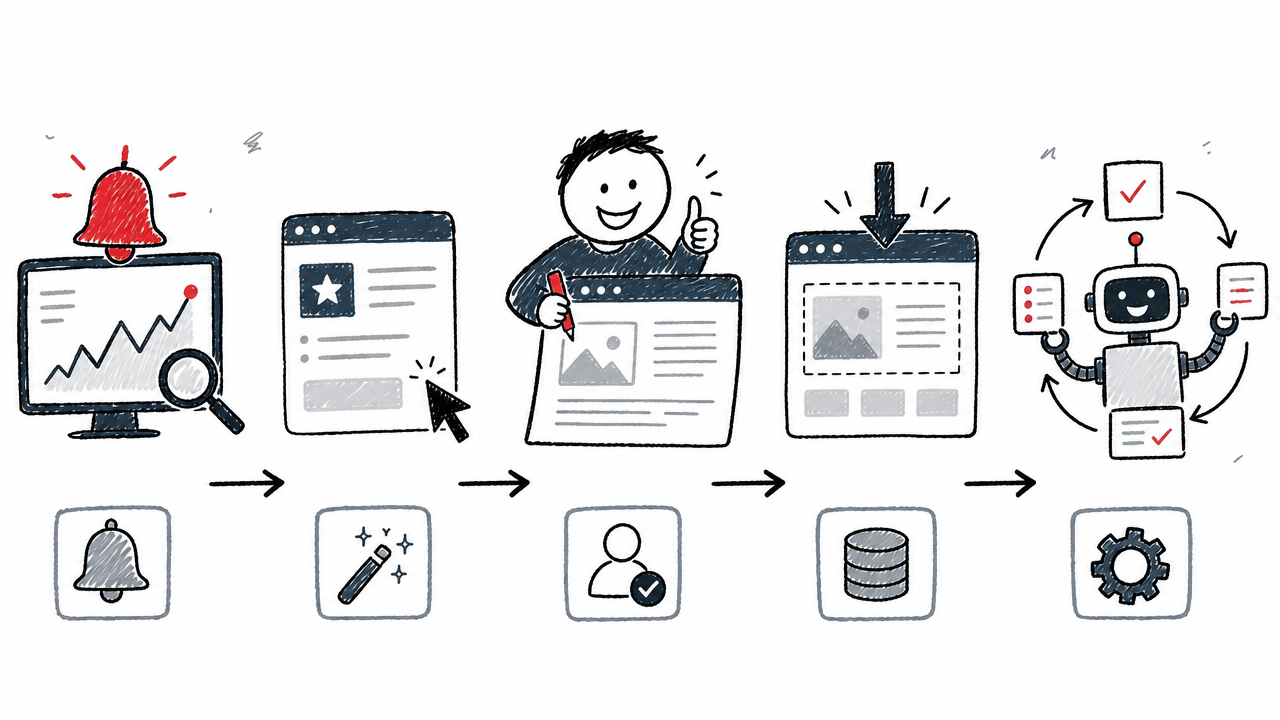
To keep comparisons consistent, each tool is mapped to a five-level automation framework:
A higher level is not inherently better. The right choice depends on your risk tolerance, CMS access, technical skill, and governance needs. A Level 2 tool with excellent data can outperform a Level 4 tool that deploys mediocre changes.
Quick comparison table
Pricing verified from each vendor's public page. Monthly rates shown unless noted otherwise.
Search Atlas OTTO SEO, best for automated implementation
What it automates
Search Atlas OTTO SEO goes beyond detection: it deploys changes directly to a live site. Technical fixes include title tags, schema markup, canonical URLs, broken links, redirects, and Open Graph tags. On-page changes cover headings, metadata, alt text, and internal links. The tool also handles content creation and local SEO tasks such as Google Business Profile posts, Q&As, and review replies.
Deployment happens through the OTTO Pixel, Cloudflare, or CMS integration. An approval mode lets teams review every proposed change before it goes live, and rollback controls revert any modification. Changes persist even after cancellation, according to the vendor page.
Who it suits and what to watch out for
OTTO is built for teams that want implementation, not just another dashboard of flagged issues. Agencies managing recurring technical and on-page tasks across many sites benefit most from its breadth.
That said, the tool requires installing the OTTO Pixel or connecting through a supported route. Given the broad scope of what can be automated (metadata, redirects, schema, internal links, content), approval mode and rollback are essential safety nets, not optional luxuries. The vendor's marketing references performance claims like accelerated results; treat those as vendor claims, not independently verified outcomes.
Pricing (source): Starter $99/mo (1 OTTO project), Growth $199/mo (2 projects), Pro $399/mo (4 projects), Agency $999/mo (up to 10 projects, white-label). A 7-day free trial is advertised.
Semrush, best all-in-one monitoring and reporting suite
What it automates
Semrush automates the data-collection and alerting layer that most SEO teams rely on daily. Site Audit runs 140+ technical and on-page checks on a scheduled basis (daily or weekly re-crawls). Position Tracking delivers daily ranking updates, visibility-change alerts, competitor comparisons, and automated email reports, including white-label options.
Beyond auditing and rank tracking, the platform consolidates keyword research, backlink analysis, content optimization scoring, and AI-search visibility tracking. The breadth is the point: Semrush aims to be the single pane of glass for SEO data and reporting.
Who it suits and what to watch out for
In-house SEO teams and agencies that need broad data coverage under one login will find Semrush's range hard to match. It is the strongest option when the primary need is monitoring, analysis, and stakeholder reporting.
The key limitation: Semrush is an analysis and reporting platform. It does not edit or publish changes on a website. Higher keyword limits, crawl pages, and features like historical data are gated behind expensive plans. For a single small site with narrow needs, the interface and pricing can feel excessive.
Pricing (source): SEO $139/mo ($117.33 annual), Starter SEO + AI Search $199/mo ($165.17 annual), Pro+ $299/mo ($248.17 annual), Advanced $549/mo ($455.67 annual).
Ahrefs, best for always-on technical monitoring and backlink intelligence
What it automates
Ahrefs distinguishes itself with always-on site crawling: the crawler runs continuously, focuses on important pages first, and sends grouped email alerts when critical issues appear. The Site Audit checks for 170+ technical and on-page issues. Rank tracking, SERP history, and competitor comparisons run on schedule.
Backlink, mention, and ranking alerts automate the surveillance side of link building and brand monitoring. Internal-linking suggestions, report building, and API access (on higher plans) round out the picture.
Who it suits and what to watch out for
SEOs who focus on backlink analysis, competitive research, and technical monitoring will find Ahrefs' data depth and alerting system among the best available. The always-on crawling approach complements scheduled audits by catching new issues between full crawl cycles.
Ahrefs is strongest as a data and alerting platform. It does not fix issues or deploy changes on its own. Keyword limits, crawl credits, historical data access, and AI prompt allowances vary across plans: the Lite plan's 750 tracked keywords and 100,000 crawl credits per month may be tight for agencies managing many properties.
Pricing (source): Lite $129/mo, Standard $249/mo, Advanced $449/mo, Enterprise $1,499/mo. A limited free tier provides access to Site Explorer and Site Audit.
SE Ranking, best for scheduled audits, reporting, and agency workflows
What it automates
SE Ranking automates the recurring audit-and-report cycle that agencies depend on. Website Audit runs on weekly or monthly schedules. Reporting tools deliver branded PDF or email reports on a daily, weekly, or monthly basis. Rank tracking covers several search engines.
Keyword and competitor research, backlink analysis, and Data Studio/GSC integrations are built in. The Growth plan adds page-change monitoring. API-based bulk analyses are available as an add-on.
Who it suits and what to watch out for
Small and midsize teams, consultants, and agencies wanting recurring SEO workflows at a lower entry price than Semrush or Ahrefs will find SE Ranking compelling. The 14-day free trial (no card required) lowers the evaluation barrier.
A critical pricing note: many third-party round-ups still cite SE Ranking at $49 or $52 per month. Current public pricing starts at $129/mo for the Core plan (source). That Core plan includes one manager seat and 10 projects; agency features, white-label reporting, and the API require add-ons or the Growth tier. Scheduled audits identify issues; they do not resolve them.
Pricing (source): Core $129/mo ($103.20 annual), Growth $279/mo ($223.20 annual). Agency Pack $69/mo (annual only). AI Search add-on $89/mo ($71.20 annual). 14-day free trial, no credit card required.
Surfer, best for automated content optimization and refreshes
What it automates
Surfer focuses automation on the content lifecycle. The Content Editor generates SERP-based guidelines and scores content against top-ranking competitors. Content Audit connects to Google Search Console data, detects pages needing re-optimization, tracks rank drops, and delivers refresh recommendations.
A one-click "Auto-Optimize" feature applies suggested changes within the editor. Internal-linking suggestions (or automated internal linking on higher plans) help distribute authority across a site. Newer plans include AI visibility tracking and rank-drop monitoring to surface content decay.
Who it suits and what to watch out for
Content teams, writers, and agencies focused on improving existing articles and producing SERP-informed drafts will get the most from Surfer. It excels at the "content refresh" workflow that many teams neglect.
A content score is a useful signal, but it should complement editorial judgment rather than replace it; high scores do not guarantee rankings. The Content Audit feature requires a Google Search Console connection. Document, AI prompt, and workspace limits vary by plan. Surfer is not a technical SEO crawler or a backlink management tool; pair it with one.
Pricing (source): Discovery $49/mo (annual), Standard $99/mo, Pro $182/mo, Peace of Mind $299/mo, Enterprise $999/mo.
Screaming Frog SEO Spider, best for scheduled technical crawling
What it automates
Screaming Frog is the reference-standard desktop crawler for technical SEOs. It automates scheduled crawls, automatic exports to Google Sheets, and command-line crawling for CI/CD pipelines. The SEO Spider checks for 300+ issues, warnings, and opportunities: broken links, redirect chains, duplicate metadata, canonical conflicts, hreflang errors, JavaScript rendering issues, structured-data validation, and crawl comparisons over time.
Integrations with Google Analytics, Search Console, and PageSpeed Insights enrich crawl data with real performance metrics. Crawl comparison reports make it easy to track issue resolution between audits.
Who it suits and what to watch out for
Technical SEOs, developers, and agencies needing deep, configurable crawl data rely on Screaming Frog as a core part of their toolkit. It gives granular control over crawl scope, rendering, extraction, and export.
The main limitation: Screaming Frog is a crawler and analysis tool that surfaces problems but does not fix them. The free version caps at 500 URLs per crawl. The paid version is desktop software with a per-user annual license, so it runs on your machine's memory and storage. At scale, the tool can surface hundreds of issues without ranking them by business impact; that judgment remains yours.
Pricing (source): Free up to 500 URLs. Paid: £199/user/year (unlimited crawling, scheduling, JS rendering, advanced features). Volume discounts for 5+ licenses.
Google Search Console + Looker Studio, best free monitoring and reporting stack
What it automates
Google Search Console provides first-party data that no third-party tool can replicate: clicks, impressions, CTR, and average position broken down by query, page, country, device, and search appearance. Google proactively alerts site owners to certain detected issues (manual actions, indexing problems, Core Web Vitals regressions). The Search Console API is free, subject to usage limits.
Looker Studio (formerly Data Studio) connects to GSC and schedules report delivery as PDFs. Combined GA + GSC dashboards give stakeholders a self-updating view without manual export work.
Who it suits and what to watch out for
Every site should use GSC as a free baseline. Small teams needing first-party performance data and scheduled stakeholder reporting can build a credible workflow at zero cost. Technical users who connect the API to their own dashboards or data warehouses extend the value further.
The limitations mirror the price: no competitor research, no backlink discovery, no content scoring, and no autonomous implementation. GSC is not a full-site crawler. Data can be delayed or preliminary, and chart totals vs. table totals use different aggregation methods, a common source of confusion. Looker Studio automates report delivery, not SEO decision-making.
Pricing: Google Search Console is free. The Search Console API is free with usage limits. Looker Studio report scheduling is available at no cost for standard Google accounts.
Gumloop, best for custom AI SEO workflows
What it automates
Gumloop is a general-purpose workflow platform that SEO teams can configure into a bespoke automation layer. Custom agents handle keyword research, competitor analysis, audits, content briefs, and reporting. Connections to Ahrefs, Semrush, Google Search Console, PageSpeed Insights, CMS tools, Google Sheets, Slack, and Linear let you orchestrate data across platforms.
Scheduled rank tracking, content audits, SERP monitoring, and multi-agent handoffs run on recurring triggers. Custom rules and organization-specific skills mean no two Gumloop deployments look the same.
Who it suits and what to watch out for
Advanced marketers, agencies, and technical SEOs wanting a tailored automation layer around existing tools will find Gumloop's flexibility unmatched. If your needs have outgrown the preconfigured options of traditional SEO suites, this is the platform to explore.
The tradeoff: Gumloop is a general workflow platform, not a conventional SEO data suite. Data quality depends entirely on connected tools, prompt design, and workflow logic. Setup and governance demand more effort than a turnkey product. At scale, credit consumption and concurrent-run limits become real operational constraints.
Pricing (source): Pro $37/mo (20,000 credits, unlimited seats, 5 concurrent runs, 25 concurrent agent chats). Enterprise is custom-priced. A 14-day free trial is available.
WordPress bonus: Rank Math PRO
WordPress publishers can add a CMS-native automation layer without leaving the admin panel. Rank Math PRO automates SEO metadata and schema management, broken-link detection, XML sitemaps, and rank tracking. The standout feature is AI Link Genius: it maps keywords to URLs and builds automatic internal links, audits existing links, discovers orphan pages, and supports bulk updates.
Newer capabilities include Rank Math MCP, which allows compatible AI assistants to perform metadata retrieval, schema inspection, link analysis, and supported fixes through a model context protocol.
Who it suits: WordPress publishers, freelancers, and agencies wanting automation close to the CMS. Limitation: Rank Math is not a substitute for a backlink or competitor-research suite. Automated linking needs keyword maps, configured limits, and human review to prevent irrelevant or excessive links. Some AI capabilities depend on Content AI usage limits.
Pricing (source): Business €24.99/mo billed annually (100 client sites), Agency €54.99/mo billed annually (500 client sites). Plans renew at higher rates; check the pricing page for renewal figures.
How to choose: matching tools to your workflow
No single tool covers every automation level well. The strongest setups combine tools at different layers.
Solo site owner on a budget: Start with Google Search Console + Looker Studio as a free baseline. Add Screaming Frog (free tier) for periodic crawls or Surfer for content optimization when budget allows.
Content-focused team: Surfer for content scoring and refresh workflows, paired with GSC for first-party data. Consider Rank Math PRO if on WordPress for automated internal linking.
In-house SEO team wanting broad data: Semrush or Ahrefs for keyword research, rank tracking, competitor analysis, and technical monitoring. Choose Semrush for reporting breadth; choose Ahrefs for backlink depth and always-on crawling.
Agency with scheduled reporting needs: SE Ranking offers lower-cost scheduled audits and branded report delivery. Semrush works better for agencies that also need extensive keyword and competitive data.
Teams wanting automated deployment: Search Atlas OTTO SEO is the clear fit, with approval mode and rollback as non-negotiable safeguards.
Advanced ops teams building custom pipelines: Gumloop orchestrates agents across Ahrefs, Semrush, GSC, and CMS tools. Higher setup cost, but limitless flexibility.
WordPress publishers: Rank Math PRO for metadata, schema, and internal-link automation within the CMS.
What automation cannot replace
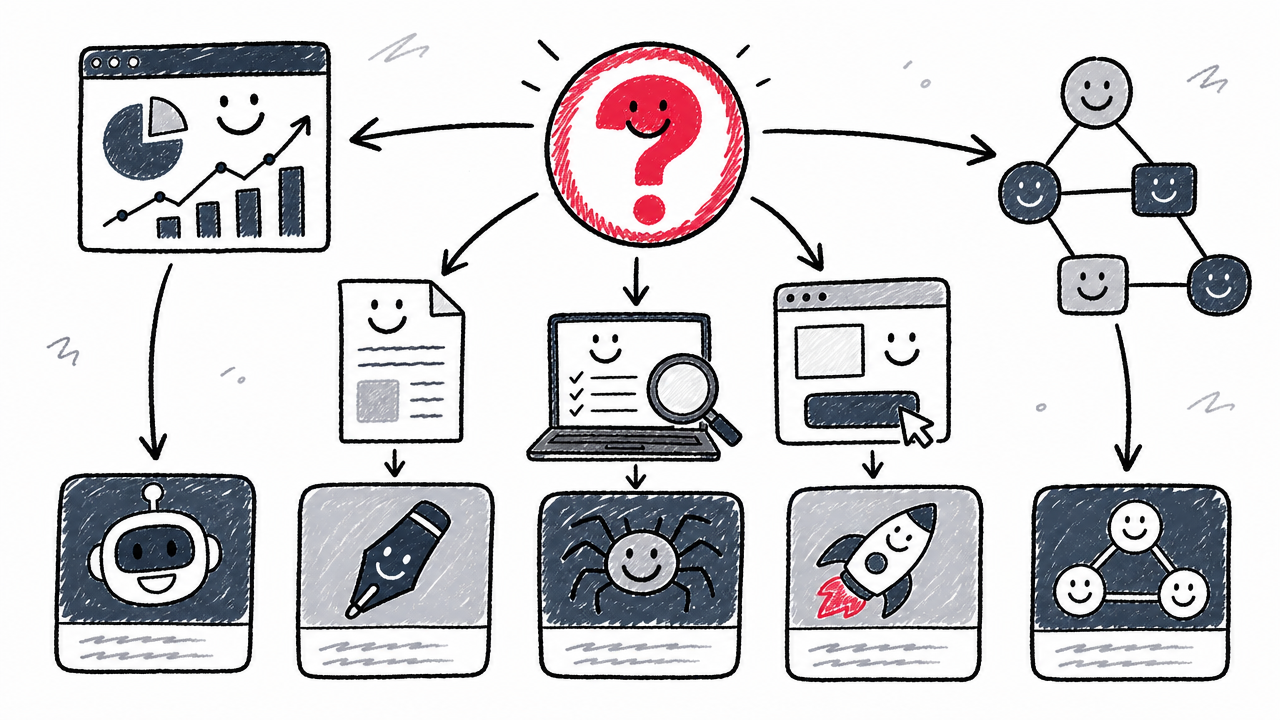
Automated tools excel at data collection, pattern detection, repetitive formatting, scheduled reporting, and deploying pre-approved changes. They do not replace the human work that determines whether those changes are correct.
Strategy and business prioritization require understanding revenue goals, competitive positioning, and brand identity. No crawler can decide which pages deserve the most investment.
Factual accuracy review matters more than ever as AI-generated content scales. Automated content drafts, metadata, and schema need human verification against source material.
E-E-A-T signals (experience, expertise, authoritativeness, trustworthiness) reflect real-world credibility. Automation can format structured data, but it cannot manufacture genuine expertise.
Risk management is critical for tools operating at Level 4–5. Automated redirects, canonical changes, or metadata rewrites can break a site if deployed without review. Insist on rollback capabilities and audit logs, and review any automated deployment before or shortly after it goes live.
Automation frees time for the strategic, editorial, and judgment-heavy work that differentiates a site. Spend the recovered hours on decisions only a human can make.
FAQ
What is the best automated SEO tool for small businesses?
Google Search Console + Looker Studio provides a free monitoring and reporting baseline. For affordable paid automation, SE Ranking (from $103.20/mo annual) covers scheduled audits and reporting, while Surfer (from $49/mo annual) handles content optimization.
Can SEO be fully automated?
Monitoring, data collection, repetitive formatting, reporting, and some implementation tasks can be automated. Strategy, business prioritization, factual review, brand judgment, and quality control still require human oversight. Full autonomy remains impractical for anything beyond narrowly scoped, low-risk tasks.
Which SEO tools can automatically fix website issues?
Search Atlas OTTO SEO deploys technical and on-page changes via its pixel or CMS integration. Rank Math PRO automates internal linking and schema within WordPress. Most other tools in this round-up detect and recommend but do not deploy fixes directly.
What is the difference between a tool that recommends fixes and one that deploys them?
A recommendation tool surfaces issues and suggests actions (Semrush, Ahrefs, Screaming Frog). A deployment tool pushes approved changes to the live site (Search Atlas OTTO, Rank Math auto-linking). The distinction determines how much manual implementation work remains after the audit is done.
Are AI SEO tools the same as automated SEO tools?
Not always. AI features like content generation and classification can be one component of automation, but automation also includes scheduled crawls, alerts, API integrations, and rule-based processes that require no AI models. The terms overlap but are not synonymous.
Which tools automate rank tracking and SEO reporting?
Semrush, Ahrefs, and SE Ranking all offer scheduled rank tracking with automated email or PDF reports. GSC + Looker Studio provides free first-party rank data with scheduled report delivery. Gumloop can orchestrate rank-tracking data from connected tools into custom dashboards.
What is the best automated SEO tool for WordPress?
Rank Math PRO offers deep CMS-native automation: metadata, schema, sitemaps, broken-link detection, and automatic internal linking via AI Link Genius. Yoast SEO Premium (from $118.80/year excl. VAT) is a more conservative alternative with redirect management, internal-linking suggestions, and bulk AI metadata drafting.
Which SEO automation tools are best for agencies?
SE Ranking provides scheduled audits, branded report delivery, and an Agency Pack add-on at a competitive price. Semrush offers broader keyword and competitive data with white-label reporting. Search Atlas OTTO suits agencies that need to deploy changes across client sites. Gumloop works for agencies building custom multi-client pipelines.
What should be reviewed before allowing an SEO tool to publish changes automatically?
Check that approval mode is enabled, rollback controls are working, and an audit log records every change. Review proposed title tags, meta descriptions, redirects, canonical URLs, schema markup, and internal links for accuracy and brand fit. Test on a staging environment or a low-traffic section before rolling out site-wide.
How much do automated SEO tools cost?
Prices range from free (Google Search Console) to $1,499/mo (Ahrefs Enterprise). Most mid-tier tools start between $49/mo and $139/mo. See the comparison table above for verified starting prices from each vendor's public page.